Best Hardware for Homelab Server 2026: The Ultimate Guide
Setting up and running a personal data center used to be a niche weekend hobby. Today, it’s a must-have practice for IT pros, developers, and tech enthusiasts alike. With the constant growth of virtualization, heavy AI workloads, and intensive media streaming, picking the right hardware is suddenly more important than ever.
The classic trap? Dumping money into loud, power-hungry enterprise gear that loses value overnight. People often realize too late that these massive machines limit scalability while sending their electric bills through the roof. Fortunately, the home server landscape is quickly pivoting toward dense, highly efficient computing environments.
Whether you’re just hosting a few basic Docker containers, orchestrating a complex Proxmox cluster, or tinkering with local LLMs (Large Language Models), tracking down the best hardware for homelab server 2026 will dictate your system’s overall performance, stability, and lifespan. Throughout this guide, we’ll dive into everything from budget-friendly mini PCs to cutting-edge custom whitebox builds, giving you exactly what you need to create a truly future-proof setup.
Why Choosing the Best Hardware for Homelab Server 2026 Matters
Choosing the wrong equipment usually results in frustrating performance bottlenecks, excess heat, and sky-high power costs. Just a few years ago, the default advice was to hop on eBay and grab a decommissioned enterprise server. But today, the technical landscape looks entirely different.
If you don’t plan your homelab hardware carefully, you’re bound to run into some serious friction. Here’s why:
- Shift to AI and Automation Workloads: Self-hosting AI—such as running local inference engines or managing advanced home automation—demands specialized hardware. Older enterprise servers completely lack the NPUs and low-power GPUs needed for these modern, compute-heavy tasks.
- The Rise of NVMe Storage: Traditional spinning drives and SATA SSDs have essentially been demoted to secondary storage. Modern hypervisors need blazing-fast NVMe arrays to handle container and VM storage efficiently, which means you need a motherboard packed with enough PCIe lanes.
- Power Efficiency Economics: Given today’s rising energy costs, leaving a dual-Xeon server idling at 300W around the clock just doesn’t make financial sense. Modern architectures deliver significantly more processing power per watt, effectively rendering older enterprise racks obsolete for the average home user.
Basic Solutions: Entry-Level and Budget-Friendly Hardware
If you’re a beginner—or if you simply want to replace an outdated, inefficient setup without draining your bank account—there are plenty of fantastic modern alternatives. In fact, keeping things simple is usually the smartest move when you’re first exploring DevOps strategies and containerization.
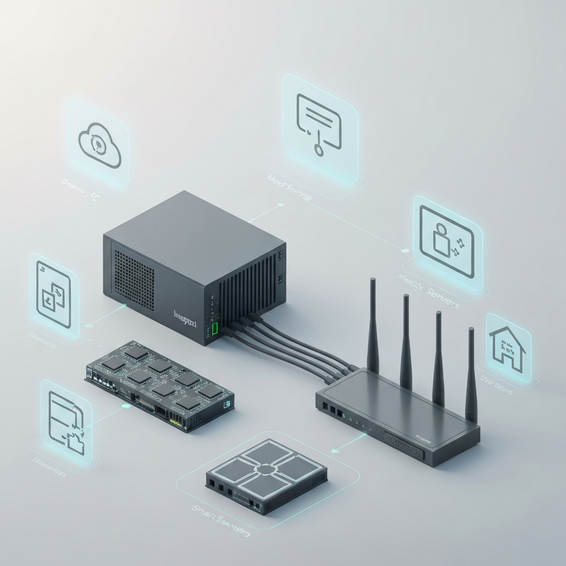
- Modern Mini PCs (N100 and AMD Ryzen Series): Don’t let their size fool you; devices running the Intel N100 or AMD Ryzen 7000/8000 series chips are absolute powerhouses. They barely sip electricity—often sitting under 15W at idle—while packing enough compute power to run Home Assistant, Pi-hole, and dozens of Docker containers simultaneously.
- Refurbished Tiny/Mini/Micro (TMM) Nodes: The 1-liter PC revolution is still going strong. Picking up off-lease machines like Dell OptiPlex Micros, Lenovo ThinkCentres, or HP ProDesk Minis gives you enterprise-grade reliability in a remarkably small footprint. If you cluster three of these little nodes together using Proxmox, you’ll suddenly have a highly robust High Availability (HA) environment.
- SBCs (Single Board Computers): The Raspberry Pi 5 gets most of the spotlight, but alternatives like the Odroid or Orange Pi 5 deliver phenomenal ARM-based performance. These tiny boards are absolutely perfect for running lightweight, dedicated network services.
These entry-level solutions instantly fix the headaches of excessive noise and steep electric bills. At the same time, they provide more than enough overhead to help you master essential virtualization skills.
Advanced Solutions: Enterprise and Custom Whitebox Builds
Of course, a cluster of mini PCs isn’t going to cut it for data engineers, hardcore IT professionals, and heavy virtualization enthusiasts. If that sounds like you, you’ll need massive memory capacity, advanced storage controllers, and robust PCIe expansion. Here is exactly how to architect serious infrastructure for running powerful self-hosted tools.
- Custom Whitebox Servers: Piecing together your own server from workstation or high-end consumer components is the undisputed gold standard for 2026. Processors like the Intel Xeon W-series or AMD Ryzen Threadripper bring massive PCIe lane counts to the table. This allows for multiple GPUs and NVMe HBAs, all while staying surprisingly quiet inside a 4U rackmount chassis.
- Hyperconverged Infrastructure (HCI): Why run a separate compute node and NAS when you can combine them? Advanced homelabs merge these roles beautifully. By running Proxmox VE with ZFS or TrueNAS Scale, you can easily pool compute resources and NVMe storage across a lightning-fast 10GbE or 25GbE local network backbone.
- AI and GPU Acceleration: Dropping in an energy-efficient GPU—like the Nvidia RTX 4000 SFF Ada Generation or a dual-slot enterprise card—unlocks a whole new world of capabilities. From advanced media transcoding in Plex or Jellyfin to deep learning and self-hosted LLMs, hardware acceleration is an absolute must.
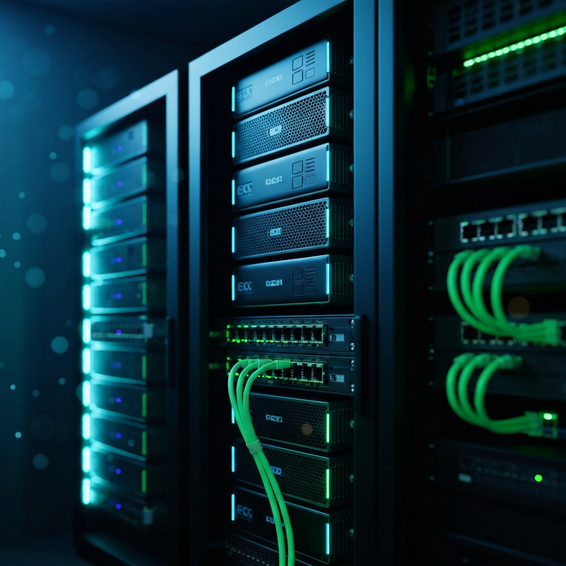
- High-Speed Networking Backbones: No advanced homelab is truly complete without top-tier networking. Integrating managed switches equipped with 25GbE or 10GbE SFP+ interfaces ensures that your storage arrays will never bottleneck your virtual machines.
Key Hardware Components Breakdown
If you decide to go the custom route, choosing the right individual parts is critical. Pay close attention to these core component categories so you can get the absolute most out of your investment:
- CPU (Central Processing Unit): Try to prioritize high core counts and abundant PCIe lanes rather than chasing single-core clock speeds. Processors like the AMD EPYC Rome and Milan series are stellar choices, offering the massive lane counts required for dense NVMe storage arrays.
- Motherboards: Keep an eye out for workstation-class boards—such as those featuring the W680 chipset. You ideally want something that supports PiKVM integration or IPMI (Intelligent Platform Management Interface) so you can easily manage your server remotely from anywhere.
- Memory: If you plan on running ZFS arrays, ECC (Error-Correcting Code) RAM is completely non-negotiable. It stops silent data corruption in its tracks and keeps your server incredibly stable during those long stretches of uptime.
- Storage Controllers: To pass physical drives directly through to unRAID or TrueNAS, you’ll need the right hardware. Broadcom or LSI HBAs (Host Bus Adapters) that have been specifically flashed to IT mode are absolutely critical for this task.
Best Practices for Homelab Optimization
Regardless of the hardware tier you ultimately settle on, sticking to industry best practices is the key to ensuring maximum security and performance.
- Calculate Power to Performance (Performance-per-Watt): You should always evaluate the total cost of ownership (TCO) before plugging anything in. That “free” vintage server your buddy gave you might actually cost $300 a year in electricity. Meanwhile, a brand-new $400 machine will literally pay for itself through sheer energy savings.
- Implement Proper Backup Strategies: Don’t ignore the golden 3-2-1 backup rule. We highly recommend using tools like Proxmox Backup Server (PBS) to effortlessly back up your containers and virtual machines to a cloud storage provider or a secondary NAS.
- Isolate Networks via VLANs: Security should always be a top priority. Keep your guest networks, IoT devices, and sensitive management interfaces strictly separated. You can easily do this by configuring VLANs through a robust firewall like pfSense or OPNsense.
- Leverage Infrastructure as Code (IaC): Start treating your homelab exactly like a professional cloud deployment. By using tools like Puppet, Terraform, or Ansible to automate your deployments, you guarantee that if a server abruptly dies, you can automatically rebuild its entire configuration from scratch.
Recommended Tools and Resources
Premium hardware is only half the battle. To extract every ounce of value from your setup, you need to pair it with the right components and a highly optimized software stack.
- Proxmox VE: This is the undisputed king of homelab hypervisors right now. It’s completely free, entirely open-source, and offers fantastic native support for both KVM virtualization and LXC containers.
- TrueNAS Scale: Built on Debian, this incredibly robust storage OS brings native Linux container support and truly unmatched ZFS storage management to your home network.
- Hardware Component Tools: When looking at storage, the Samsung 990 Pro NVMe SSDs deliver phenomenal reliability, especially for high-speed caching. On the networking side, MikroTik 10G SFP+ switches are brilliant for achieving enterprise-grade routing on a strict budget. (Note: Affiliate links help support our content).
- Docker & Portainer: These are absolute essentials for managing microservices. By containerizing your applications, you dramatically reduce system overhead compared to spinning up full-blown, resource-heavy VMs.
Frequently Asked Questions (FAQ)
What is the minimum RAM for a homelab server in 2026?
If you’re building a lightweight setup just to run Pi-hole and a handful of Docker containers, 16GB of RAM will work fine. But if you plan to dive into ZFS for storage or Proxmox for heavier virtualization, you’ll want to aim for a baseline of 64GB of ECC RAM. That gives you plenty of breathing room for proper memory caching and flawlessly smooth operations.
Is ARM architecture viable for homelab servers yet?
Without a doubt. Although x86 still holds the crown for broad, out-of-the-box compatibility, ARM processors have become remarkably power-efficient. Leveraging hardware like Ampere Altra workstations or the popular Raspberry Pi 5 is an increasingly great way to handle containerized workloads, web servers, and dedicated network services.
Should I use SSDs or HDDs for my homelab?
Honestly, the smartest approach is to use both in a tiered storage structure. Reserve your high-endurance NVMe SSDs for application databases, operating systems, and virtual machine boot drives. Then, use massive enterprise HDDs—think WD Gold or Seagate Exos—configured in a RAIDZ array to handle your automated backups and bulk media storage.
Conclusion
Crafting the perfect home server setup is essentially a balancing act. You have to juggle your available budget, desired power efficiency, and raw processing needs. Making the leap away from power-hungry, outdated hardware toward highly scalable modern solutions is guaranteed to transform your entire homelab experience.
Whether you decide to string together a high-availability cluster using tiny 1L mini PCs, or engineer a sprawling custom whitebox server flooded with PCIe bandwidth, fine-tuning your stack is the real secret to success. By taking a hard look at your actual workload demands and prioritizing energy efficiency, you’ll have no trouble finding the best hardware for homelab server 2026. The golden rule? Start small, automate as early as possible, and let your homelab evolve organically alongside your skills.
About the Author