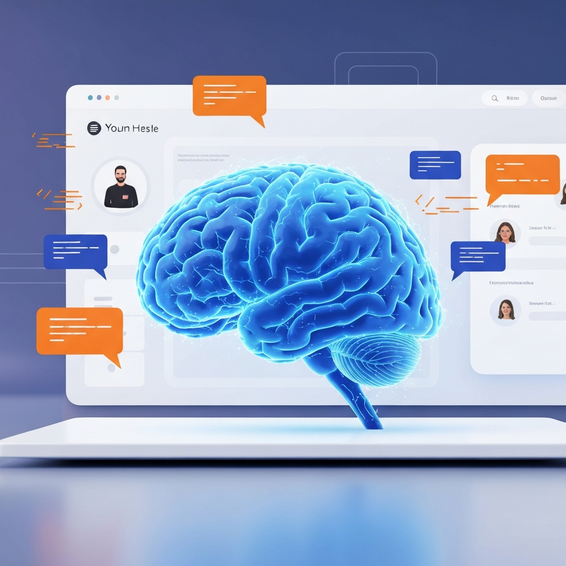
Best AI Productivity Tools for Programmers in 2024
Introduction
We’ve all been there: staring blankly at a “perfect” block of code that absolutely refuses to compile. When you factor in the endless hunt for obscure bugs, mind-numbing boilerplate, and the joy of deciphering legacy code without a shred of documentation, programming often feels like an exhausting race against the clock.
But the software engineering landscape is currently undergoing a massive shift. If your goal is to reclaim your time and focus on high-level architecture rather than hunting down missing semicolons, leaning on the best ai productivity tools for programmers isn’t just a nice-to-have anymore. It’s becoming an absolute necessity.
Throughout this guide, we’re going to dive into exactly how artificial intelligence is reshaping our daily workflows. We’ll unpack the root causes of common productivity bottlenecks, explore both quick fixes and advanced AI strategies to overcome them, and highlight the exact tools you should consider adding to your tech stack right now to stay ahead of the curve.
Why Developer Productivity Bottlenecks Happen
Before jumping straight into the tools, it helps to understand why we hit these frustrating roadblocks in the first place. A huge part of the problem comes down to the sheer volume of context switching required in modern software development. After all, you aren’t just writing scripts all day; you’re also managing infrastructure, scouring documentation, and carefully reviewing pull requests.
It’s incredibly common to find yourself bouncing between your Integrated Development Environment (IDE), a mountain of open browser tabs, and half a dozen terminal windows. This constant jumping around shatters deep concentration—that coveted “flow state”—and can drastically inflate the time it takes to knock out otherwise simple tasks.
On top of that, manual debugging and writing the exact same boilerplate logic over and over drain your mental energy. Every minute you spend manually wiring up a generic CRUD (Create, Read, Update, Delete) endpoint is time stolen away from solving the truly unique, interesting business problems at hand.
Then there’s the inevitable hurdle of legacy code. Trying to decipher a tangled web of undocumented functions left behind by a developer who quit three years ago can easily derail an entire sprint. Without leaning on modern automation, we end up doing the tedious heavy lifting that machines are now perfectly equipped to handle.
Quick Fixes: Basic Solutions to Automate Coding
Looking to immediately supercharge your output? Your first step should be integrating basic AI coding assistants straight into your IDE. Because they fit right into your existing setup, these solutions offer the absolute lowest-friction entry point into AI-powered software development.
Here are a few quick ways to start reclaiming your time today:
- Install an AI Autocompletion Extension: This is arguably the easiest win. By adding a smart plugin to your editor, the AI analyzes your existing code to accurately predict your next few lines—or even draft entire functions—giving your typing speed a massive boost.
- Use IDE-Integrated Chatbots: Rather than tabbing over to a browser to scour Stack Overflow, leverage an AI chat window right inside your editor. Asking questions in the same place you write code completely eliminates a major source of context switching.
- Automate Unit Test Generation: We all know writing tests is crucial, but it’s undeniably tedious. Now, you can simply highlight a function, give a quick prompt, and watch as the AI instantly generates a comprehensive suite of unit tests covering various edge cases.
- Generate Documentation on the Fly: Got a messy, complex chunk of logic? Highlight it and let the AI whip up clear, detailed documentation, JSDoc comments, or Python docstrings with a single click.
Even just implementing these foundational features will quickly help you automate coding tasks and significantly cut down on your daily mental fatigue.
Advanced Solutions for Engineering Teams
Of course, if you’re a senior developer, DevOps engineer, or system architect, a simple autocompletion tool isn’t going to cut it. You need robust, advanced solutions that weave deeply into your overall architecture and integrate smoothly with your CI/CD pipelines.
An incredibly powerful approach is deploying custom AI agents that actually understand the context of your entire repository. By feeding your broader codebase into a Large Language Model (LLM) equipped with a massive context window, you can execute sweeping refactoring operations. Imagine asking an AI to securely update a deprecated API across 50 different files at once, completely sidestepping the usual errors that come with manual find-and-replace missions.
Another next-level strategy is baking AI directly into your DevOps and deployment pipelines. When you start applying machine learning in software development, automating the first pass of code reviews becomes a reality. Smart tools can instantly scan incoming pull requests, flag sneaky security vulnerabilities, and ensure everything adheres to your team’s specific coding standards—long before a human reviewer even opens the file.
Beyond that, many forward-thinking developers are turning to local LLMs via tools like Ollama. Running powerful AI models directly on your own hardware ensures blazing-fast responses and guarantees absolute data privacy. If you’re curious about building out your own local infrastructure, be sure to check out our dedicated guide on essential self-hosted tools for developers.
Best Practices for Generative AI in Development
While these tools are incredible, relying on generative AI for developers demands a healthy dose of discipline and a clear understanding of its limitations. Used carelessly, AI can easily sneak subtle bugs, performance bottlenecks, or even severe security flaws into your application.
- Review Everything: Resist the urge to blindly copy and paste. AI models are still prone to “hallucinations” and might happily invent API endpoints that don’t actually exist. Always double-check generated code for logical accuracy and handle the tricky edge cases yourself.
- Protect Sensitive Data: This rule is non-negotiable. Never paste live API keys, database passwords, or highly proprietary company algorithms into public-facing tools like the standard ChatGPT interface.
- Master Prompt Engineering: The output you get is only as good as the input you provide. Be hyper-specific. By explicitly stating your tech stack, preferred design patterns, and project constraints upfront, you dramatically increase your chances of getting usable code on the very first try.
- Keep Context Windows Clean: It’s tempting to dump your whole project into the prompt, but overloading the AI often leads to confusion. Stick to providing only the specific scripts and context needed for the task at hand.
Recommended Tools and Resources
To genuinely optimize your workflow, building the right AI tool stack is critical. Here are a few top-tier platforms that can seriously supercharge your daily development speed:
- GitHub Copilot: Widely considered the industry standard for inline code completion, Copilot lives right inside your IDE and functions as an ever-present, tireless pair programmer. Try GitHub Copilot here.
- Cursor IDE: Built as a fork of VS Code, this AI-first editor is a total game-changer. Cursor stands out because it indexes and understands your entire repository’s context, rather than just the single file you happen to have open. Download Cursor IDE.
- Claude 3.5 Sonnet: Created by Anthropic, Claude is arguably the current reigning champion when it comes to deep logical reasoning, UI generation, and complex coding architectures. It’s an invaluable brainstorming companion for system design.
- Tabnine: If privacy is a major concern, Tabnine is a stellar AI assistant that can run entirely locally or on secure corporate servers. That makes it a top-tier choice for enterprise teams navigating strict compliance laws.
- Amazon Q Developer: Previously known as CodeWhisperer, Amazon’s enterprise-grade tool truly shines when dealing with AWS integrations and generating complex terminal commands.
FAQ Section
Will AI replace programmers?
In short, no. Think of AI as an advanced tool built to amplify your existing abilities, not replace your role entirely. By offloading the repetitive, mundane typing tasks to a machine, you free yourself up to focus on what really matters: crafting solid system architecture, refining business logic, and improving user experience.
What are the best AI debugging tools?
Right now, Cursor, GitHub Copilot Chat, and specialized autonomous platforms like Sweep.dev are the leading AI debugging tools on the market. They have the impressive ability to analyze dense stack traces, comb through your error logs, and highlight the precise line of code that brought your application crashing down.
Is it safe to use AI for enterprise code?
Safety largely depends on the specific tool and how you’ve configured it. Because standard public models train on user data by default, they are highly risky for proprietary enterprise code. On the flip side, enterprise-focused solutions like Tabnine or Copilot for Business provide strict, contractual guarantees to keep your data completely private.
Conclusion
Software engineering is evolving at a breakneck pace, and adapting to these changes is vital. Honestly, embracing the best ai productivity tools for programmers is quickly becoming the smartest way to write cleaner code, ship features faster, and actually enjoy the daily development process a whole lot more.
You don’t have to change everything overnight. Start small by adding a basic autocompletion extension to your favorite IDE, and slowly work your way up to exploring advanced, repository-level agents. Just remember to maintain strict security habits and always double-check the outputs. Ultimately, the developers who learn to comfortably collaborate with AI today are the ones who will be leading the software engineering teams of tomorrow.
About the Author