Cloud Architecture Basics Explained: The Complete Guide
Is your company struggling to scale its IT infrastructure, or perhaps drowning in massive hardware maintenance bills? If so, you’re definitely not alone. Moving away from outdated legacy servers into a modernized digital space often feels like an intimidating hurdle for IT teams. That being said, getting cloud architecture basics explained is the essential first step toward unlocking a digital future that’s scalable, cost-effective, and highly resilient.
When you get right down to it, cloud architecture is simply the way we weave together various technological pieces—such as managed databases, networking nodes, storage layers, and software capabilities—to create a highly adaptable computing environment. Grasping these foundational ideas makes it much easier for developers, systems engineers, and IT leaders to build rock-solid systems capable of surviving sudden surges in web traffic without breaking a sweat.
What is Cloud Architecture?
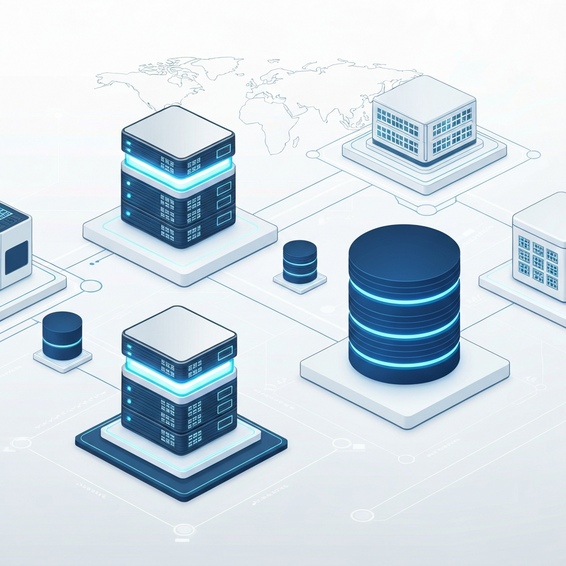
Think of cloud architecture as the master blueprint for your computing environment. It takes physical hardware, virtual networks, storage pools, and management software, then cleverly stitches them together into one seamless platform. The main objective? To deliver highly scalable, on-demand computing power over the internet, all while drastically cutting down your reliance on expensive on-premise hardware and the maintenance headaches that come with it.
Why You Need Cloud Architecture Basics Explained: The Legacy Problem
Before we jump headfirst into modern cloud setups, let’s take a step back and look at the exact problem we’re trying to solve. Why do older, on-premise legacy systems consistently hold back fast-paced modern businesses? Ultimately, it usually boils down to two things: physical limitations and incredibly rigid financial structures.
With a traditional setup, companies are forced to buy their physical hardware upfront—an approach known as Capital Expenditure (CapEx). Imagine a retailer anticipating a massive surge in web traffic for a big holiday sale. To keep the site from crashing, they have to purchase enough physical servers to manage that specific peak capacity. But what happens the rest of the year? Those pricey servers just sit there collecting dust, wasting valuable floor space, electricity, and money.
Adding fuel to the fire are monolithic software designs, which tie applications directly to the hardware. In these rigid setups, a tiny memory leak in one minor feature can overload an entire server, taking the whole application down with it. To make matters worse, scaling up means your IT staff has to manually rack new hardware, configure complicated network switches, and babysit the cooling systems in a stuffy server room.
Migrating to the cloud completely eliminates this technical bottleneck. By transitioning to an Operational Expenditure (OpEx) model, your business only pays for the exact amount of computing power it actually uses. The cloud abstracts all that clunky physical hardware into highly flexible virtual resources, giving companies the freedom and agility to innovate at lightning speed.
Core Components & Basic Solutions
If you really want to see cloud architecture basics explained in a practical, real-world context, you first need to understand the foundational layers of the environment. It genuinely doesn’t matter if your engineering team favors AWS, Microsoft Azure, or Google Cloud—every single one of these platforms operates on the exact same core mechanics.
For companies desperately searching for straightforward solutions to escape the endless cycle of server maintenance, here are the primary concepts you need to grasp:
- Infrastructure as a Service (IaaS): Think of this as renting raw server instances and storage volumes over the internet. You are still responsible for managing the operating system, application code, and runtimes, but the cloud provider takes care of the physical hardware behind the scenes.
- Platform as a Service (PaaS): PaaS hands your developers a fully managed framework so they can build, test, and launch applications without ever worrying about the underlying operating system. It’s an ideal quick fix for teams that just want to write code instead of wasting hours applying server patches.
- Software as a Service (SaaS): Sitting at the highest level of abstraction, SaaS delivers a completely functional, cloud-hosted application straight to your web browser. You probably use examples of this every day—think Salesforce, Slack, or Google Workspace.
- The Front-end Interface: This is the client side of the entire architecture. It encompasses the end-user’s actual device, their local network, and the web browser or graphical user interface (GUI) they use to connect to the cloud environment.
- The Back-end Infrastructure: Welcome to the cloud’s engine room. This side of things consists of sprawling data centers packed with physical servers, virtualization hypervisors, storage arrays, and powerful API endpoints designed to handle all the heavy data processing.
If your business is feeling completely overwhelmed by server management, a classic “Lift and Shift” migration is a highly recommended starting point. This refreshingly simple process involves taking your existing on-premise virtual machines and copying them exactly as they are into an IaaS provider, like AWS EC2 or Azure Virtual Machines. It requires almost zero application rewriting and gives you an immediate boost in hardware reliability.
Advanced Solutions for IT Professionals
Once your organization has a firm grip on the basics, you’ll likely find that just hosting servers in the cloud isn’t quite enough to unlock the technology’s full potential. Truly modernizing the way you deliver software means making the leap to advanced architectural models specifically built for distributed environments.
Microservices and Containerization
One of the most impactful upgrades a team can make is transitioning away from rigid monolithic applications in favor of Microservices. In this setup, you break a massive, bloated application down into tiny, independent, loosely coupled services. If the user authentication module suddenly fails, your shopping cart and payment systems will happily stay online. These individual microservices are usually packaged into Containers (using tools like Docker), which guarantees they will run exactly the same way on a developer’s laptop as they do in the live production environment.
Serverless Computing Architecture
Serverless computing is another truly game-changing advancement. Despite the somewhat misleading name, physical servers do still exist—the cloud provider just completely hides them from view. Developers merely write specific blocks of code (often called functions, like AWS Lambda or Google Cloud Functions). From there, the provider automatically allocates the necessary compute power the very second that function is triggered. Because you’re billed down to the millisecond, you pay absolutely nothing when your code isn’t actively running.
Multi-Cloud and Hybrid Cloud Topologies
Today’s enterprise IT and DevOps teams frequently lean on Multi-Cloud environments. By smartly distributing workloads across multiple providers—such as keeping databases on AWS while running AI analytics through Google Cloud—organizations can effectively avoid vendor lock-in. On the flip side, a Hybrid Cloud setup is perfect for highly regulated sectors, like banking. It allows them to keep their most sensitive data locked down on-premise while routing everyday web traffic through the public cloud.
Best Practices: Optimization & Security
Keep in mind that just moving your data to the cloud won’t magically guarantee stellar performance or lower your monthly bills. To get the best results, you need to actively engineer your new environment so that it strictly follows proven architectural best practices.
- Enforce Zero Trust Security Models: Gone are the days of assuming internal network traffic is inherently safe. You need to implement strict Identity and Access Management (IAM) policies, ensuring that every single user, database, and microservice is granted only the absolute minimum permissions needed to do its job.
- Leverage Dynamic Auto-Scaling: Stop relying on static, unchanging server instances. Instead, configure your architecture to automatically spin up fresh compute resources during sudden traffic spikes, and have them forcefully terminate the moment things quiet down. This dynamic scaling is the secret to keeping your monthly costs under control.
- Utilize Content Delivery Networks (CDNs): You can dramatically boost your site’s performance by caching static assets—like images, CSS, and JavaScript files—on edge servers positioned geographically closer to your actual users. Services like Cloudflare or AWS CloudFront do wonders for significantly reducing latency.
- Adopt Infrastructure as Code (IaC): It’s time to stop making manual tweaks through web-based consoles. By using declarative code to provision, manage, and eventually dismantle your cloud architecture, you can version-control your entire infrastructure in Git, treating it exactly like your standard application code.
Recommended Tools & Resources
Giving your engineering team the right toolkit is essential if you want them to manage modern cloud networks efficiently. Whether you’re a solo developer or part of a bustling DevOps team, here are our top tool recommendations:
- AWS Free Tier: This is hands-down the best starting point for beginners. AWS grants you a full 12 months of free access to vital compute, database, and storage services, giving you a safe sandbox to practice building out real-world architectures.
- Terraform by HashiCorp: Widely recognized as the industry standard for Infrastructure as Code (IaC), Terraform lets you safely and predictably define your infrastructure across various cloud providers using a simple, human-readable configuration language.
- Kubernetes: This open-source container orchestration platform is an absolute powerhouse. It handles the heavy lifting of automating the deployment, scaling, and daily management of containerized microservices across massive, complex server clusters.
- Datadog: If you need a premium, full-stack platform for monitoring and security analytics, Datadog is fantastic. It’s the perfect tool for keeping a watchful eye on complex distributed cloud environments, analyzing network traffic, and tracking real-time performance metrics.
Frequently Asked Questions (FAQ)
What are the 4 main types of cloud computing environments?
The four core deployment models are the Public Cloud (where resources are shared and accessed via the public internet), the Private Cloud (highly secure, exclusive internal networks), the Hybrid Cloud (which seamlessly blends public and private environments together), and the Multi-Cloud approach (where a business leverages several different public cloud providers at the same time).
What is the difference between IaaS, PaaS, and SaaS?
Think of IaaS as renting an empty virtual server; it provides the raw, virtualized computing infrastructure. PaaS steps it up a notch by delivering a fully managed framework, which lets developers build and launch applications without stressing over OS updates. Finally, SaaS delivers a polished, ready-to-use software application directly to the end-user through their web browser.
How do I learn cloud architecture practically?
Nothing beats hands-on practice. Start by creating a free-tier account on a major platform like AWS, Google Cloud, or Microsoft Azure. Dive into some basic tutorials to deploy a simple Linux server, and as you get more comfortable, start gradually experimenting with things like load balancers, auto-scaling groups, and managed relational databases.
Is cloud architecture inherently secure?
Not automatically. Major cloud providers operate on a “Shared Responsibility Model.” They guarantee the security of the cloud itself—meaning the physical data centers and underlying network hardware. However, you are completely responsible for the security in the cloud. That means it’s up to you to configure your firewalls, tightly manage user permissions, and ensure your data is properly encrypted.
Conclusion
Making the transition away from clunky physical data centers to dynamically scalable virtual environments is a defining moment for any modern business. By getting these cloud architecture basics explained, you are much better equipped to make smart, data-driven IT decisions, slash your operational overhead, and dramatically speed up your software deployment cycles.
Just remember to start with the foundational layers. Master those straightforward “Lift and Shift” migrations using basic IaaS and PaaS setups before trying to tackle the complexities of advanced microservices and serverless code execution. As long as you focus heavily on auto-scaling, strict security protocols, and treating your infrastructure as code, your engineering team will be well on its way to building incredibly resilient applications.
You can start taking actionable steps today simply by mapping out the biggest bottlenecks in your current on-premise setup. Do a little research to see which specific cloud provider aligns best with your company’s long-term goals, and then get to work building. Make no mistake: the future of IT infrastructure is firmly rooted in the cloud!
About the Author